PartyVroom: free kart racing with your friends
PartyVroom is a free party kart racer you can play right in your browser, or on iPhone, iPad and Android. Share a 4-letter room code and up to 40 friends can race together. Or play solo against up to 15 bots. There are no accounts, no ads and nothing to download.
How to start a party race
- Open partyvroom.com and tap Party Online, then Create a Room.
- Share the 4-letter code, the invite link or the QR code with your friends.
- Friends open the link (or type the code) and tap I'm Ready.
- The host picks a track, laps, bots and bot skill, then taps Start Race.
Want a longer session? Turn on Grand Prix for three races on three tracks, with points added up and a champion at the end. It works solo too.
Smaller groups are topped up with bots, so every race has a full grid. Friends who join mid-race watch until the next one starts. If your phone loses signal for a moment, you rejoin the race in the same kart.
Controls
📱 Phone and tablet
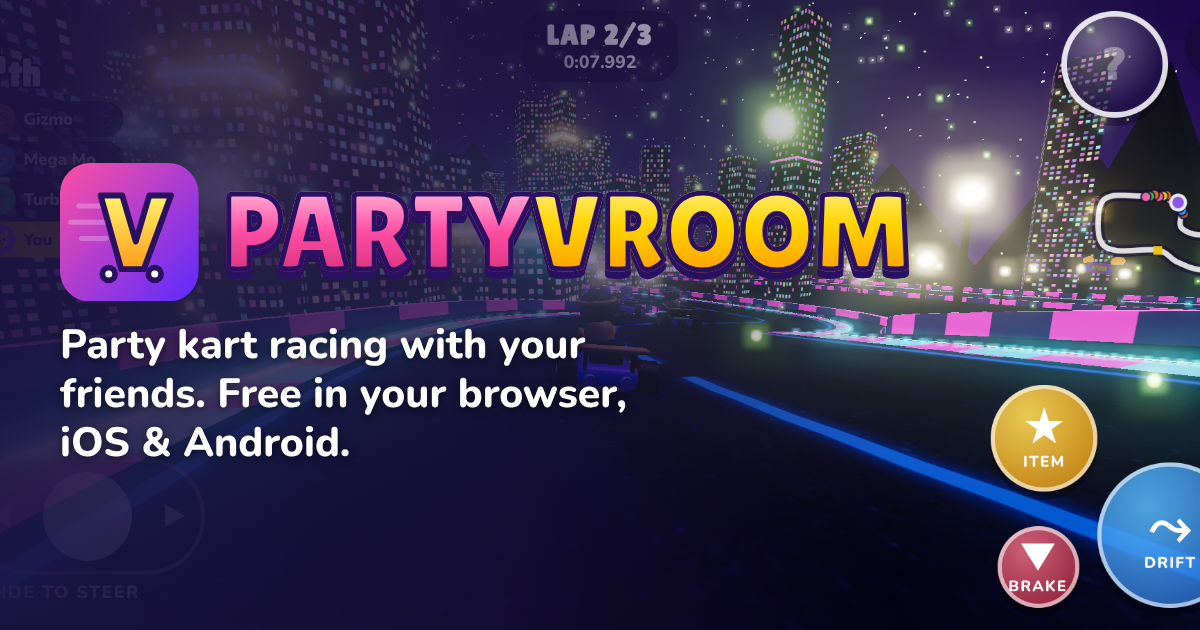
- Left thumb: slide to steer. You can switch to tilt steering or arrow buttons in Settings.
- DRIFT: hold while turning to charge sparks (blue → orange → purple), then let go for a boost.
- ITEM: tap to use your item.
- Gas is automatic. Tap BRAKE to slow down or reverse.
- Racing with kids? Turn on Steering assist in Settings to keep them off the walls.
⌨️ Keyboard
- W A S D or the arrow keys to drive
- Space to hop and drift
- E or Enter to use an item
- Esc to pause
🎮 Gamepad
Left stick steers, A or RT is gas, RB drifts and X uses your item.
Driving tips
- Rocket start: start holding gas just as the "2" fades in the countdown, and keep holding it until "GO" for a launch boost. With auto-gas on a phone, hold DRIFT instead.
- Mini-turbos: the longer you drift, the bigger the boost. Purple sparks give the biggest one.
- Jump ramps: tap DRIFT (or Space) in the air for a trick, and land it for a boost.
- Boost pads and crests give you speed and small jumps.
- Heavy karts shove light ones out of the way when you bump.
The 8 items
- 🔥 NitroAn instant speed burst.
- 🔥 Triple NitroThree speed bursts.
- 🍯 Honey TrapDrop it behind you. It's sticky!
- 🏐 BouncerFires straight ahead and bounces off walls.
- 🚀 Homing RocketLocks on to the kart ahead.
- 🫧 Bubble ShieldBlocks one hit.
- ⚡ Zap!Shrinks everyone ahead of you.
- 🌈 Rainbow RushInvincible and super fast.
Item odds depend on your position, so racers at the back get the best comeback items.
5 tracks
- 🏝️ Sunny ShoresBeaches, palm trees and blue water.
- 🍭 Candy CanyonSugar-coated hills and lollipop hairpins.
- 🌃 Neon NightsA glowing city at night.
- 🏔️ Frosty PeaksSnowy mountain passes.
- 🌋 Volcano VortexLava, embers and a fiery sky.
8 characters
- 🦊 ZippyAll-rounder with a sly grin.
- 🐰 MochiLightning launches, light as a feather.
- 🤖 BoltSteady circuits, heavy chassis.
- 🦖 RexTop speed, bulldozer bumps.
- 🐱 LunaDrift queen of tight corners.
- 🐻 BrunoBig hugs, bigger shoves.
- 🐥 PipTiny, nimble, unstoppable.
- 🐲 BlazeHot-headed speed demon.
FAQ
Is PartyVroom free?
Yes. It's free to play in your browser and in the iOS and Android apps, with no ads and no in-app purchases.
How many players can race at once?
Up to 40 friends in one online room. Solo races have up to 15 bots.
Do I need an account or a download?
No. Open partyvroom.com and play. Your name, character and best times are saved on your device.
Can I play on iPhone, iPad, Android and PC?
Yes. PartyVroom runs in any modern browser on phones, tablets and computers, and everyone can race together whatever device they use. It also works with keyboards and gamepads.
Can I play offline?
Solo races against bots work without a connection once the game has loaded. Online parties need an internet connection.
What happens if my connection drops mid-race?
PartyVroom reconnects you automatically and puts you back in your kart, as long as you're back within 20 seconds.